Digital sheet music reader
Sheet music reader for musicians
Display, organize and use your own sheet music, PDFs, lyrics and chords on tablet or PC — a reader designed for rehearsal and the stage.
Your sheet music, ready to play
On Android tablet as well as PC, Maestro Livebook lets you display your sheet music and PDFs in an interface designed for musicians, in rehearsal and on stage.
These aren't sheet music provided by the application: they're your own. You import your PDFs, your lyrics and your chord charts, and Maestro Livebook displays them clearly and helps you find them quickly.
Full-screen display
Your sheet music adapts to tablet, PC or TV screen, with a layout optimized for live reading.
PDFs and chord charts
Import your PDFs and chord charts, transpose when needed, and keep the useful settings for each song.
Repertoire organization
Sort and find your songs, and assemble them into setlists for your rehearsals and concerts.
Lyrics and chords together
Your chords are displayed with the lyrics in a single clear view, without juggling between several documents.
Import your sheet music, on video
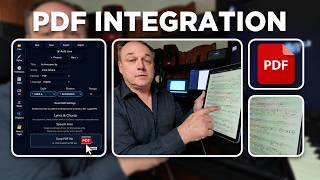
How it works
Beyond reading: designed for the stage
A simple reader is enough to rehearse alone. On stage or with others, Maestro Livebook goes further:
Master / Slave sync
A master device can control the display on other slave screens, so everyone stays on the same song.
MIDI
Depending on your setup, Livebook can support your MIDI uses during the set.
TV mode
Send a dedicated display to an external screen for lyrics or visual output.
Works without installation
Livebook runs in a browser, with an optional app installation (PWA) on tablet or desktop.
Discover Master/Slave mode in the guide → — and if you're looking to organize several songs instead, the setlist app is made for that.
What Maestro Livebook is not
A sheet music catalog or shop. Maestro Livebook does not host or sell musical content: you import your own files.
A music notation or composition tool. It does not create sheet music or handle music engraving — it's a reader, not an editor.
An automatic conversion tool (OCR). It does not extract text from a scanned score: you import your PDFs and content that's already ready.